
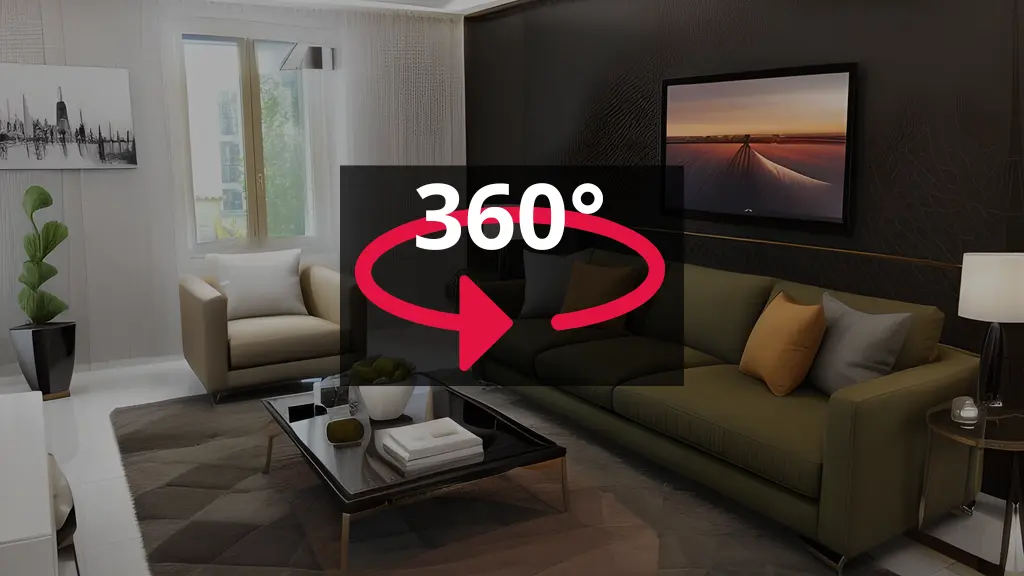
You know that feeling when you’re trying to show off a space online, but photos just don’t cut it? That’s where 360 virtual tours come in. They let people walk through a place from their couch, and honestly, it’s pretty cool.
Here’s the thing though – making these tours used to be complicated. You needed fancy cameras, technical know-how, and a bunch of time. But Ai is changing all that.
What are 360 virtual tours anyway?
Think of it like Google Street View, but for your specific space. A 360 virtual tour lets someone look around in every direction – up, down, left, right – as if they’re actually standing there. You click around to move from room to room, just like walking through a real building.
These tours work great for real estate (obviously), but also hotels, museums, retail stores, schools, and pretty much anywhere you want to show off a space to people who can’t be there in person.
The old way vs. The Ai way
Here’s how things used to work: You’d grab a 360 camera, take photos of every room, then spend hours on your computer stitching images together, fixing lighting problems, and linking everything up. If you messed up a shot, you had to go back and reshoot.
Now? Ai handles most of the heavy lifting.
How Ai makes virtual tours easier
1. Ai can generate complete 360 scenes
This sounds like sci-fi, but it’s real. Tools like Midjourney and Skybox AI can create entire 360-degree environments from just a text description. You type what you want, and boom – you’ve got a panoramic scene.
This works great if you’re designing a space that doesn’t exist yet, or if you want to show what a renovation could look like. You can create a virtual staged room without hiring anyone or moving furniture around.
2. Ai fixes your photos automatically
Remember those lighting problems I mentioned? Ai handles them now. Modern platforms use Ai to:
- Even out the exposure across your entire image
- Fix weird colors and white balance
- Restore detail in blown-out windows
- Add blue skies to make everything look better
You take the photo, Ai makes it look professional. Simple as that.
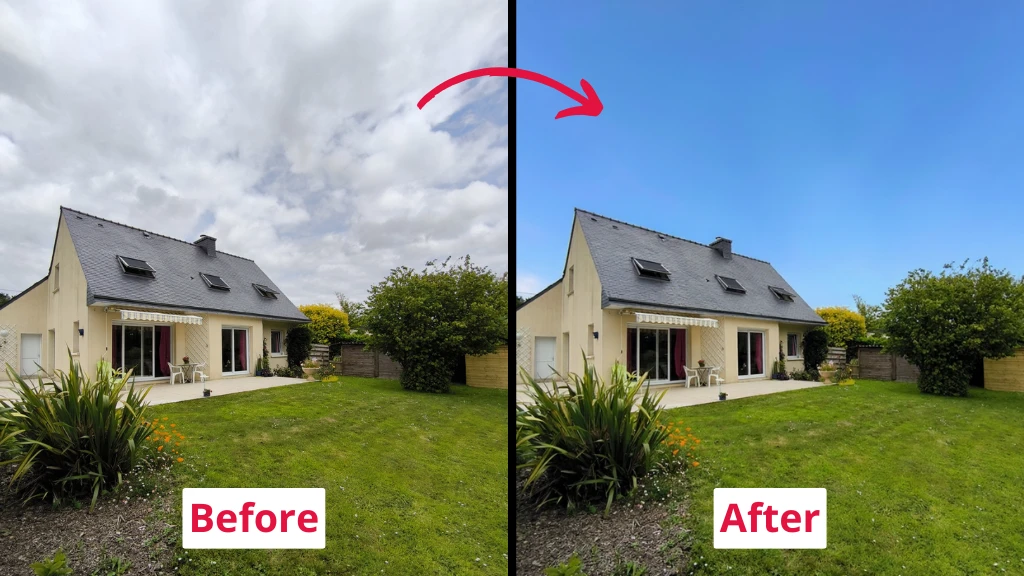
Sky replacement
3. Ai connects your scenes
One of the most tedious parts of making a virtual tour used to be linking your photos together. You had to manually place hotspots (those clickable arrows that take you to the next room) and make sure they pointed in the right direction.
Now Ai can look at two nearby photos and automatically figure out how to connect them. It knows which direction you were facing and sets everything up for you.
4. Ai creates marketing videos
Some platforms use Ai to automatically generate walkthrough videos from your 360 images. The Ai picks the most interesting angles, creates smooth transitions, and puts it all together. You can share these videos on social media, where they get way more engagement than regular photos.
Creating your first Ai-powered virtual tour
Let me walk you through the basic process. This isn’t complicated, I promise.
Step 1: Pick your tool
There are tons of options out there, but here is one of the most popular:
- IACrea has a virtual tour feature along with their home staging tools
Step 2: Get your images
You have two choices here:
Option A: Take Real Photos Grab a 360 camera (they’re cheaper than you think – some good ones cost under $300). Walk through your space and snap one photo per room. The camera captures everything around you in one shot.
Option B: Generate with Ai If you’re showing a concept or a space that doesn’t exist yet, use an Ai generator. Just describe what you want in detail, and let the Ai create it. Make sure to specify you want a 2:1 aspect ratio for proper 360 format.
→ IACrea is the perfect choice for 360 virtual tours.
Step 3: Upload and let Ai work
Upload your images to your chosen platform. This is where the magic happens. The Ai will:
- Enhance your images automatically
- Fix lighting and color issues
- Help you connect scenes together
- Organize everything into a coherent tour
Step 4: Add your personal touches
Even though Ai does most of the work, you still want to customize things:
- Add text descriptions to rooms
- Drop in your logo
- Include contact information
- Link to videos or additional photos if needed
Step 5: Share it
Most platforms give you a simple link you can share anywhere. You can also embed the tour directly on your website – it’s just copy and paste.
Real-world uses (that actually work)
- Real Estate Properties with virtual tours get viewed 87% more than those without. People want to explore before they schedule a showing. IACrea’s home staging feature works perfectly here – you can virtually furnish empty rooms, then turn the staged photos into a complete virtual tour.
- Hotels and Vacation Rentals Let people explore your property before they book. They’ll see exactly what they’re getting, which means fewer surprises and happier guests.
- Retail Stores Show off your store layout online. People can browse your space and products from home, which drives more foot traffic when they do visit.
- Museums and Education Create virtual exhibits that anyone can visit from anywhere. This is huge for accessibility.
The cost situation
Here’s the good news – Ai has made this way more affordable.
Commercial plans usually run $20-50 per month, which is nothing compared to hiring a professional photographer for every property.
IACrea’s plan includes virtual tour creation along with their home staging and video tools. That’s a pretty solid deal if you’re in real estate.
Tips that actually help
- Lighting Matters (Even with Ai) While Ai can fix a lot, starting with decent lighting makes everything better. Open curtains, turn on lights, and avoid taking photos at dusk when lighting gets weird.
- Keep It Simple You don’t need to photograph every single corner. Focus on the main spaces people care about. A tight, well-done tour beats a sprawling confusing one every time.
- Mobile Matters More than half your viewers will look at your tour on their phone. Make sure it works well on mobile – most modern platforms handle this automatically.
- Update Regularly If something in your space changes, update the tour. Old, outdated tours are worse than no tour at all.
Common mistakes to avoid
Don’t go overboard with hotspots and interactive elements. Too many clickable things gets annoying fast. Keep navigation simple and intuitive.
Don’t skip the mobile test. Always check how your tour looks on a phone before sharing it widely.
Don’t forget about loading speed. If your tour takes forever to load, people will bail before they see anything. Most Ai platforms optimize this automatically, but it’s worth checking.
What’s next for Ai and virtual tours
The technology keeps getting better. We’re seeing Ai that can:
- Generate photorealistic staged furniture that blends perfectly with real rooms
- Create entire floor plans automatically from your 360 images
- Add realistic shadows and lighting to generated elements
- Improve image resolution way beyond what cameras can capture
IACrea is already doing some of this with their home staging Ai. They can take a photo of an empty room and add realistic furniture in seconds, then incorporate those images into a virtual tour.