
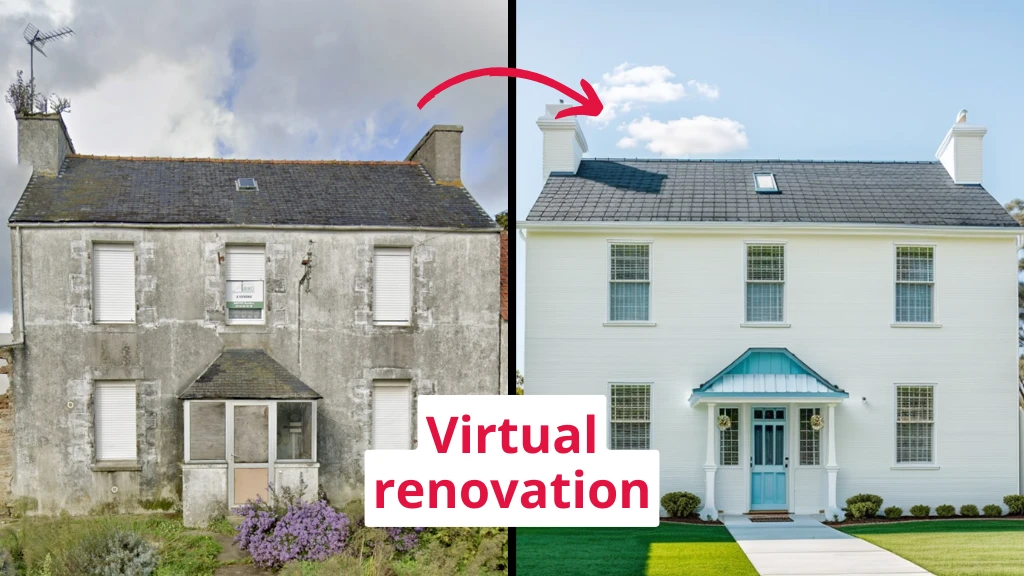
Remember when renovating meant hiring an interior designer, spending hours in meetings, and still not being totally sure what your space would look like? Yeah, those days are pretty much over.
Virtual renovation tools have changed everything. Now you can snap a photo of your room and see it completely transformed in seconds. No guesswork, no expensive consultations, just instant results.
What are virtual renovation tools?
Think of them as Photoshop for your house, but way easier to use. You upload a photo of your space, pick what you want to change and boom. The software shows you exactly what it’ll look like.
These tools use AI to handle the heavy lifting. They can furnish empty rooms, update outdated spaces, change wall colors, swap flooring, and even renovate exteriors. The results look realistic enough that you can actually make decisions based on them.
→ Check out the results of one of virtual renovation tools: before-after photos
Why people actually use these tools
The biggest reason? Most people can’t picture what an empty or cluttered space could become. It’s hard to imagine a bare room with furniture or a dated kitchen with new cabinets. Virtual tools solve that problem instantly.
Example:
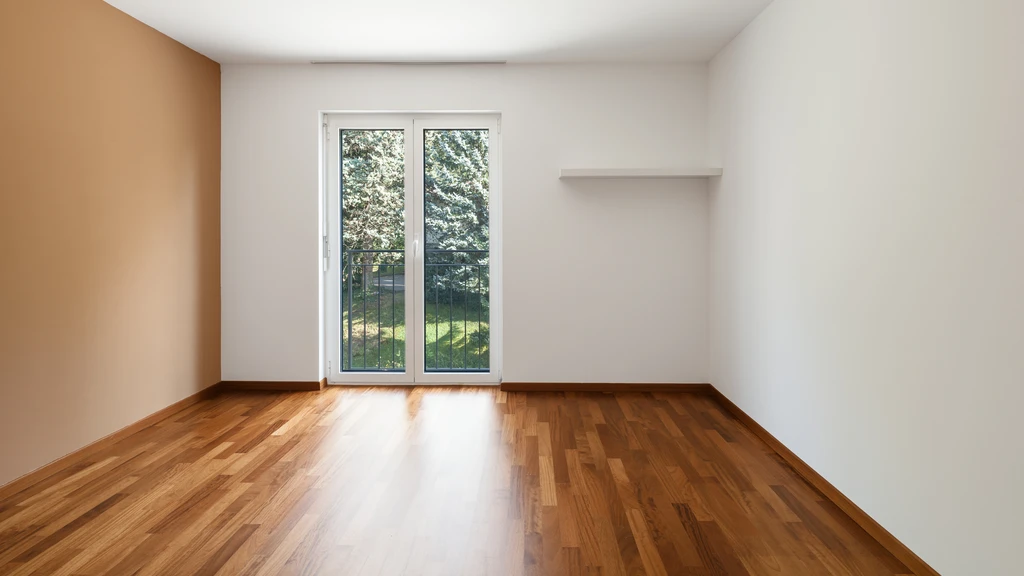
original photo: empty room
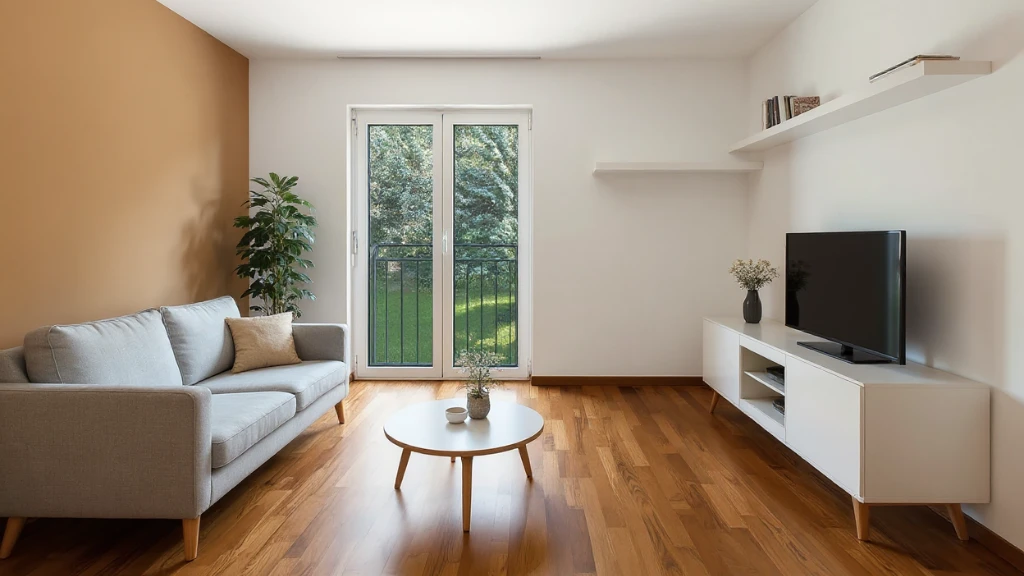
ai photo: furnished room
Here’s what else makes them useful:
- You save money. No need to pay thousands for professional staging or multiple designer consultations. Real estate agencies can save around $10,000 per year by using these tools instead of traditional home staging companies.
- You save time. Real estate agents save between 5 to 10 hours monthly on preparation and communication with interior designers. That’s time you can spend on actual work.
- You see results immediately. Most tools generate images in about 10 to 30 seconds. Try a layout, hate it, try another one. No waiting around.
- You avoid expensive mistakes. Seeing your choices before committing means you won’t buy that couch that looked great online but makes your room feel cramped.
What these tools can actually do
The features vary, but here’s what most virtual renovation tools offer:
- Furnishing empty spaces. Got a blank room? Add furniture that matches different styles: modern, traditional, minimalist, whatever you’re into.
- Renovating existing rooms. Already have furniture but want to refresh the space? These tools can update walls, floors, and add new pieces while keeping your existing layout in mind.
- Changing exteriors. You can visualize new landscaping, try different architecture styles, and see how changes would look from the outside.
- Updating specific elements. Want to see your room with hardwood instead of carpet? New paint color? Different lighting? Just click and see.
- Creating videos. Some tools turn your photos into animated walkthroughs, which is pretty cool for showing off renovation plans.
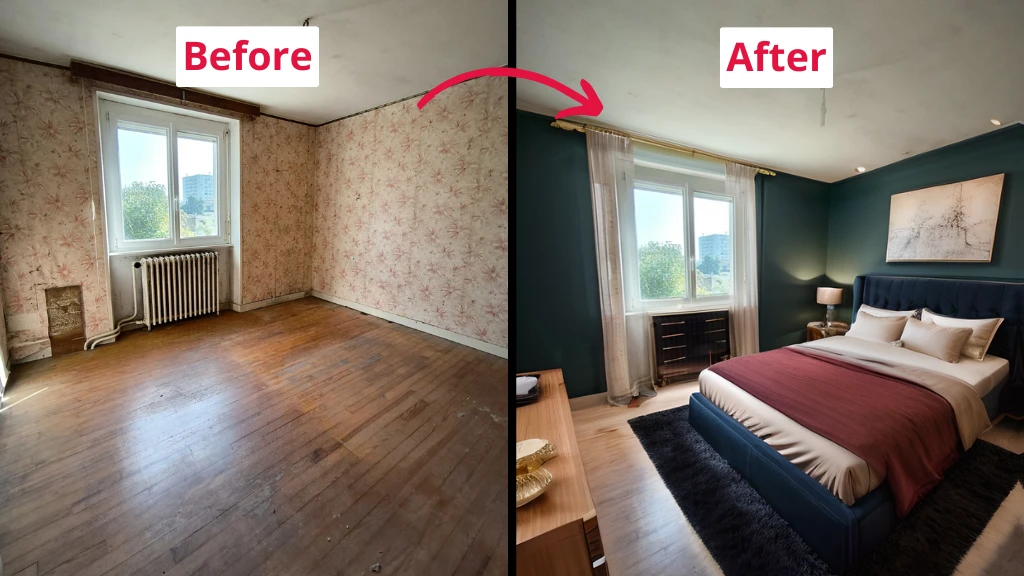
Room photo generated by IACrea
What to look for in a tool
Not all virtual renovation tools work the same way. Here’s what matters:
- Speed matters. If a tool takes 5 minutes to render one image, you’ll get frustrated fast. Look for something that delivers results in under a minute.
- Style options. More styles mean more flexibility. You want to try contemporary, industrial, Scandinavian, and everything in between.
- Ease of use. The whole point is to make this simple. If you need a tutorial longer than 5 minutes, it’s probably not worth it.
- Image quality. Blurry, unrealistic renders won’t help you make decisions. The images need to look convincing.
- What rooms it handles. Some tools work better for certain spaces. Make sure it covers what you need: kitchens, bathrooms, bedrooms, offices, exteriors.
IACrea: Fast results for real estate pros
IACrea is a virtual renovation tool built specifically for real estate professionals, though anyone can use it. It’s designed to be extremely fast and simple.
Here’s what makes it different:
- 20-second transformations. Upload a photo, pick your options, and get results in about 20 seconds. That’s faster than most competitors.
- Built for empty properties. If you’re dealing with vacant homes or under-construction spaces, IACrea excels at making them look move-in ready.
- Multiple renovation options. You can furnish empty spaces, refresh already-furnished rooms, renovate and furnish at the same time, modify exteriors, add blue skies, create kitchens and bathrooms, improve image quality, remove logos, and declutter spaces.
- Pricing that makes sense. They offer a starter pack for trying it out, plus monthly plans based on how much you use it. No hidden fees.
- Video creation included. Turn your static photos into animated videos to show how spaces flow together.
The tool was created by two engineers who noticed a real problem: people struggle to visualize potential in properties. They built IACrea to fix that.
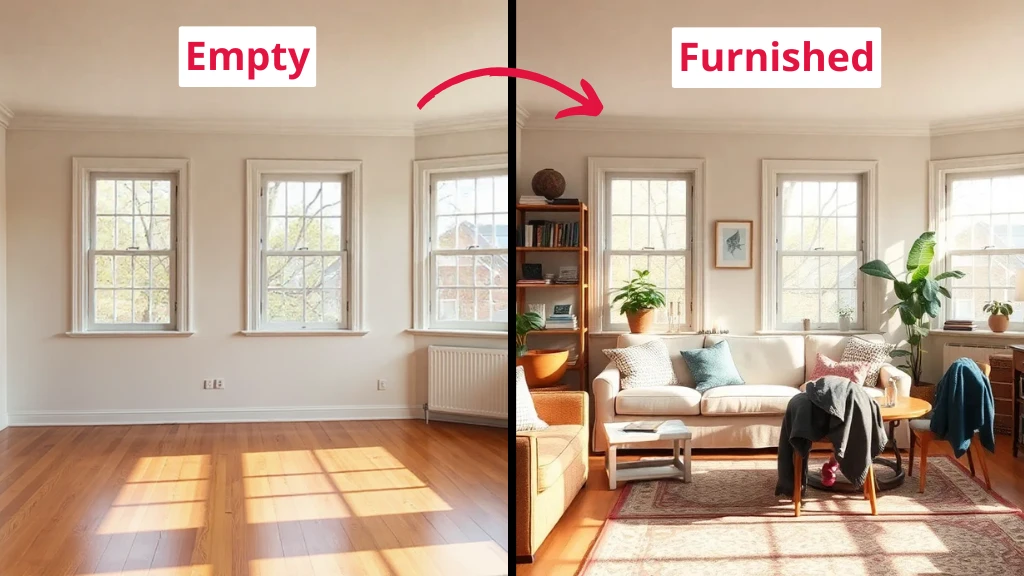
Furnished room from empty
→ Check out the IACrea website!
Other tools worth knowing about
Remodel AI uses AI to generate design ideas, optimize layouts, and create realistic 3D images of remodeled spaces. It’s good for homeowners planning their own projects.
Planner 5D lets you create detailed floor plans and experiment with different layouts, materials, and designs. It’s more involved but gives you more control over every detail.
Homestyler offers free 3D home design with a drag and drop interface and 3D walkthrough features.
Each tool has its strengths. Some work better for quick visualizations, others for detailed planning. Pick based on what you actually need.
Who benefits most from these tools
Real estate agents. Listings with properly staged photos generate up to 3 times more clicks and leads. Virtual staging is faster and cheaper than the real thing.
Home sellers. Empty homes sit on the market longer. Virtual staging helps buyers see the potential without the cost of renting furniture.
Homeowners planning renovations. Before you tear down walls or order new cabinets, see what it’ll actually look like. Make changes digitally first.
Interior designers. Show clients options quickly without creating multiple physical mockups. Get feedback faster and move projects along.
Property developers. Market properties that aren’t finished yet by showing what they’ll look like when complete.
The reality check
Virtual renovation tools are useful, but they’re not magic. Here’s what to keep in mind:
The images are visualizations, not blueprints. They’re great for making style decisions but don’t replace actual measurements and contractor consultations.
AI isn’t perfect. Sometimes the results look a bit off. You might need to generate a few versions before you get something that works.
They work best for aesthetic decisions. Choosing paint colors, furniture styles, and layouts? Perfect. Figuring out if you can knock down a load-bearing wall? That’s still a job for professionals.
Quality varies between tools. Some create photorealistic images, others look more computer-generated. Try a few before committing to one. Let’s start with IACrea, for example.
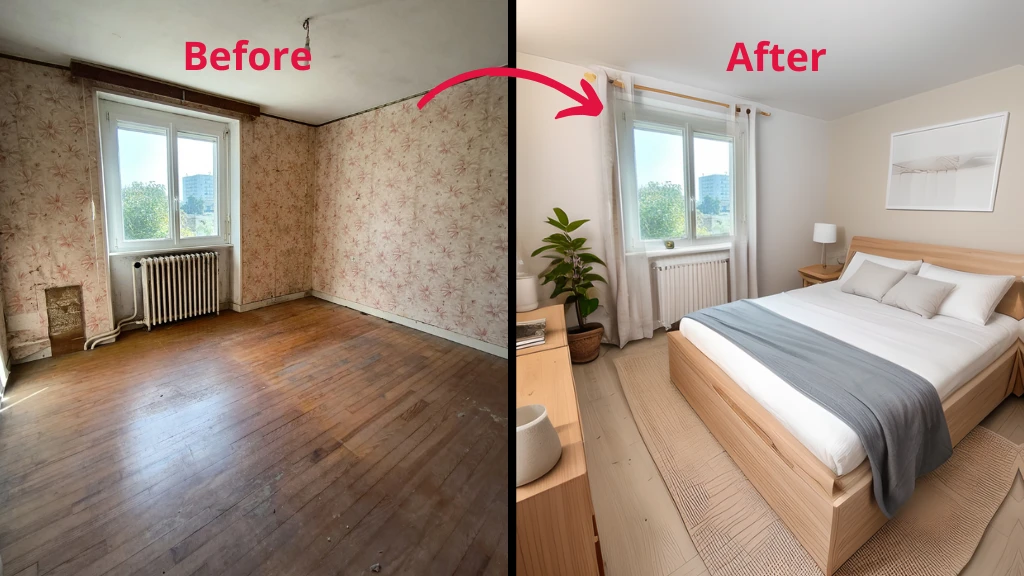
Empty real estate to furnished
How to actually use these tools
- Start simple. Upload one photo of your worst-looking space. The one that makes potential buyers walk away or makes you avoid inviting people over.
- Try a few different styles. Don’t pick the first result. Generate several versions and see what feels right.
- Show them to other people. What looks good to you might not work for others. Get feedback before making any purchases.
- Use them as a starting point. Once you know what you want, work with contractors and designers to make it happen properly.
- Save your favorites. Most tools let you download images. Keep a folder of what you like so you can reference it later.
Virtual renovation tools have removed a lot of uncertainty from home improvement and real estate. You can see what works before spending money on what doesn’t.
True, they’re not going to replace architects or contractors, but they’ll help you communicate your vision clearly and avoid costly mistakes.